One toolset.Three ways to work.
Open your EPANET model in the browser, on your Mac or on your phone. The same networks, in the app that fits where you are working.
3
Apps: Web, Mac, mobile
EPANET
Compatible
.inp
Opens on all three
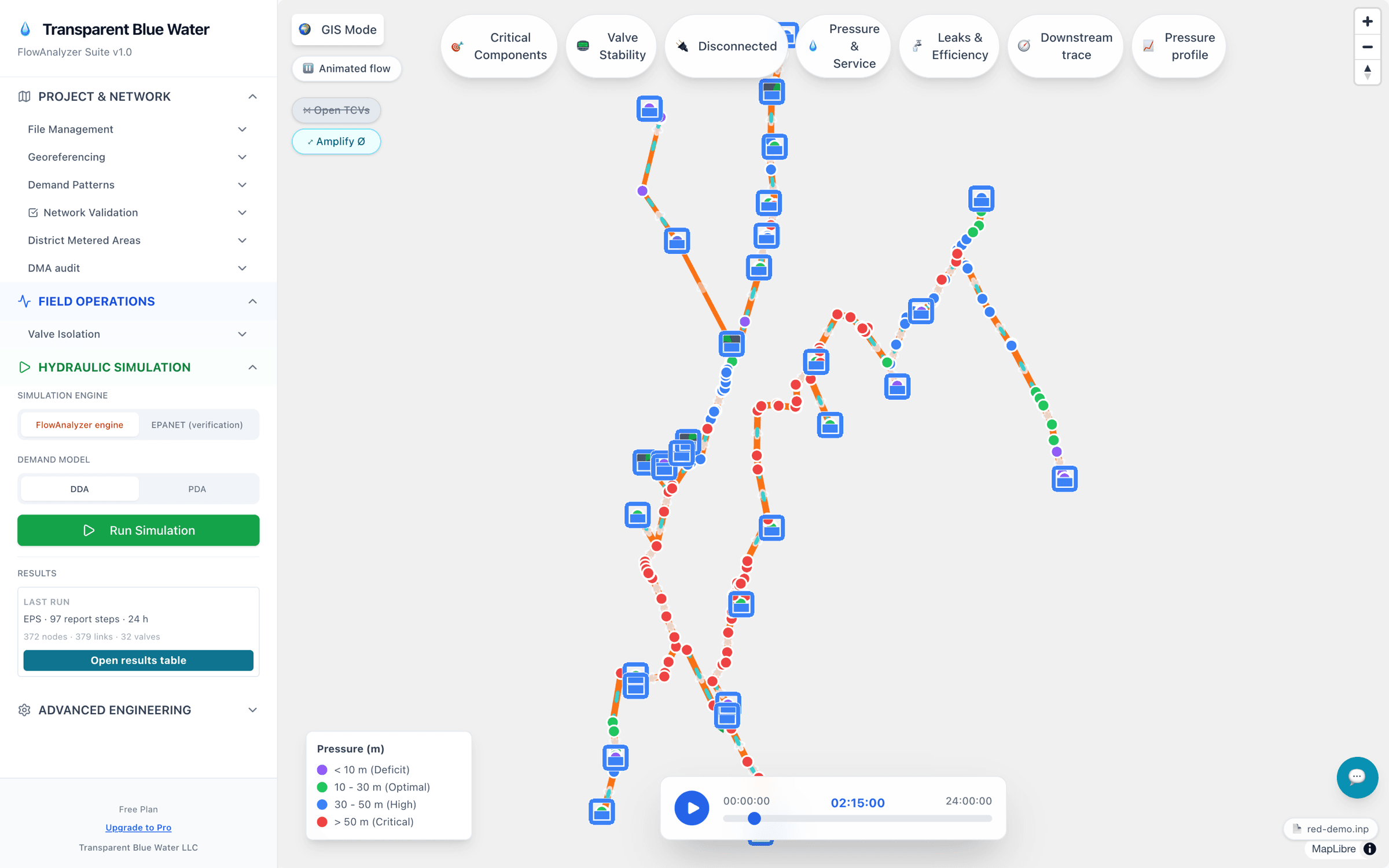
FlowAnalyzer Web: an example network solved in the browser — 372 nodes, 24-hour extended-period simulation.
One toolset, three ways to work
Model in the browser, work natively on your Mac, take it to the field on your phone. Same EPANET networks.
FlowAnalyzer Web
In the browser · no install
- Built-in hydraulic solver: extended-period simulation in your browser, checked against EPANET 2.2
- Valve isolation: the valves to close, what goes out of service, and a PDF work order
- N-1 criticality: pipes ranked by the demand left unserved
- Pressure profiles: ground, hydraulic grade line and pressure at any hour
- Scenarios (Pro): duplicate the network, edit the copy and see what differs; export .inp for EPANET Desktop
FlowAnalyzer Mac
Native for macOS
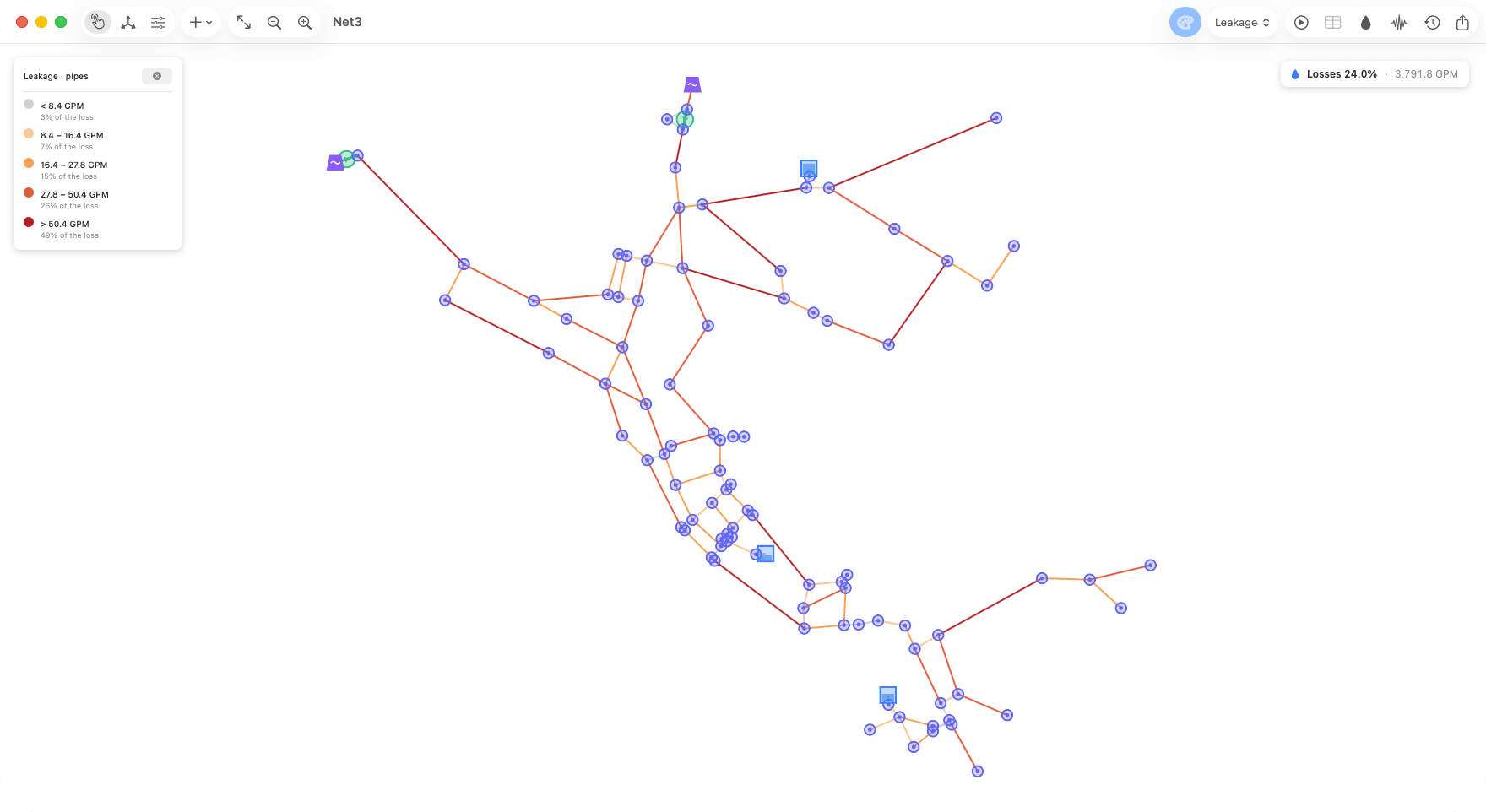
- Leak model calibrated with your non-revenue water figure: a map of modeled leakage and the pipes losing the most
- Compare what adjusting or adding a PRV would recover, and the lowest pressure each scenario leaves
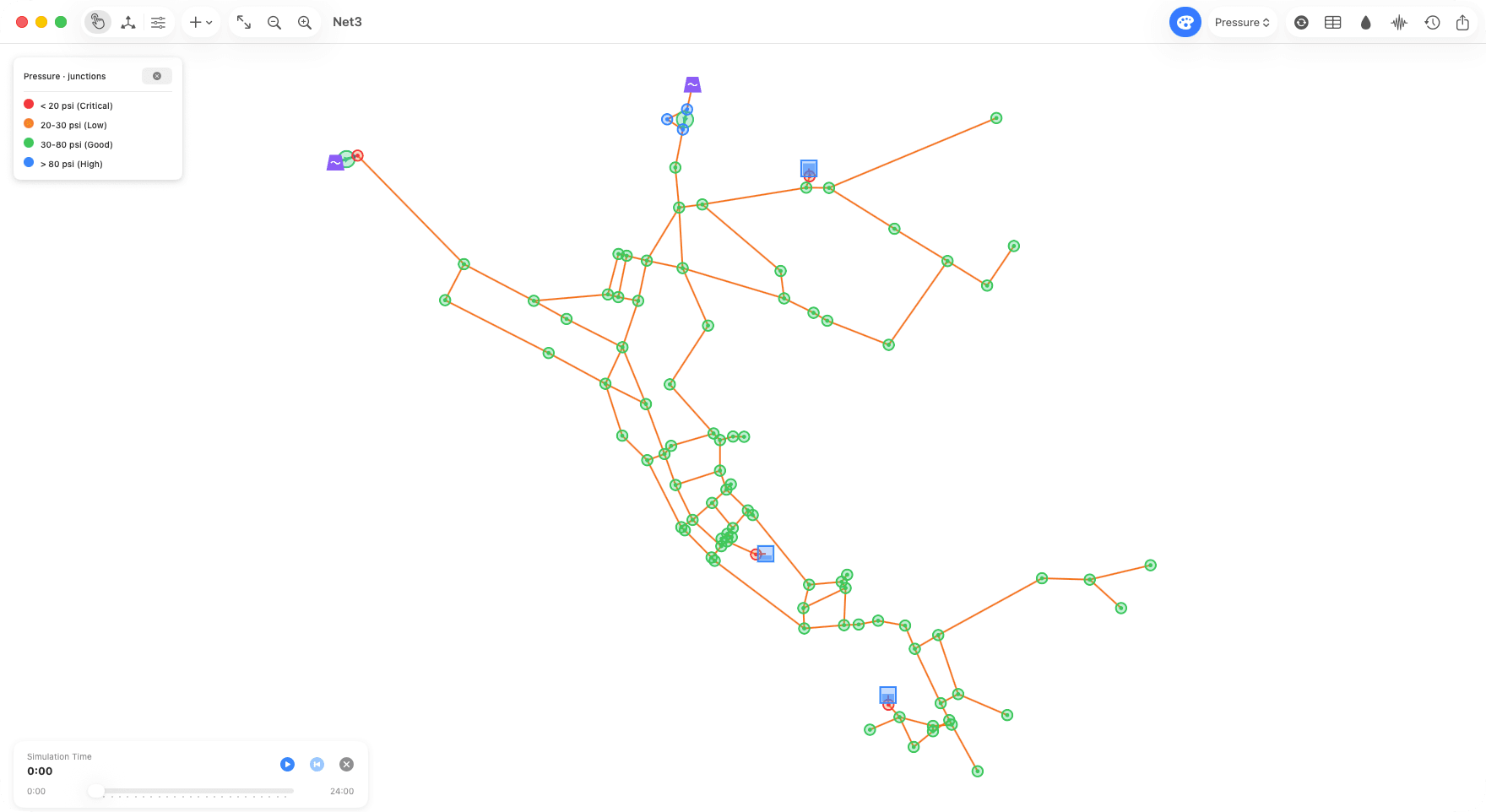
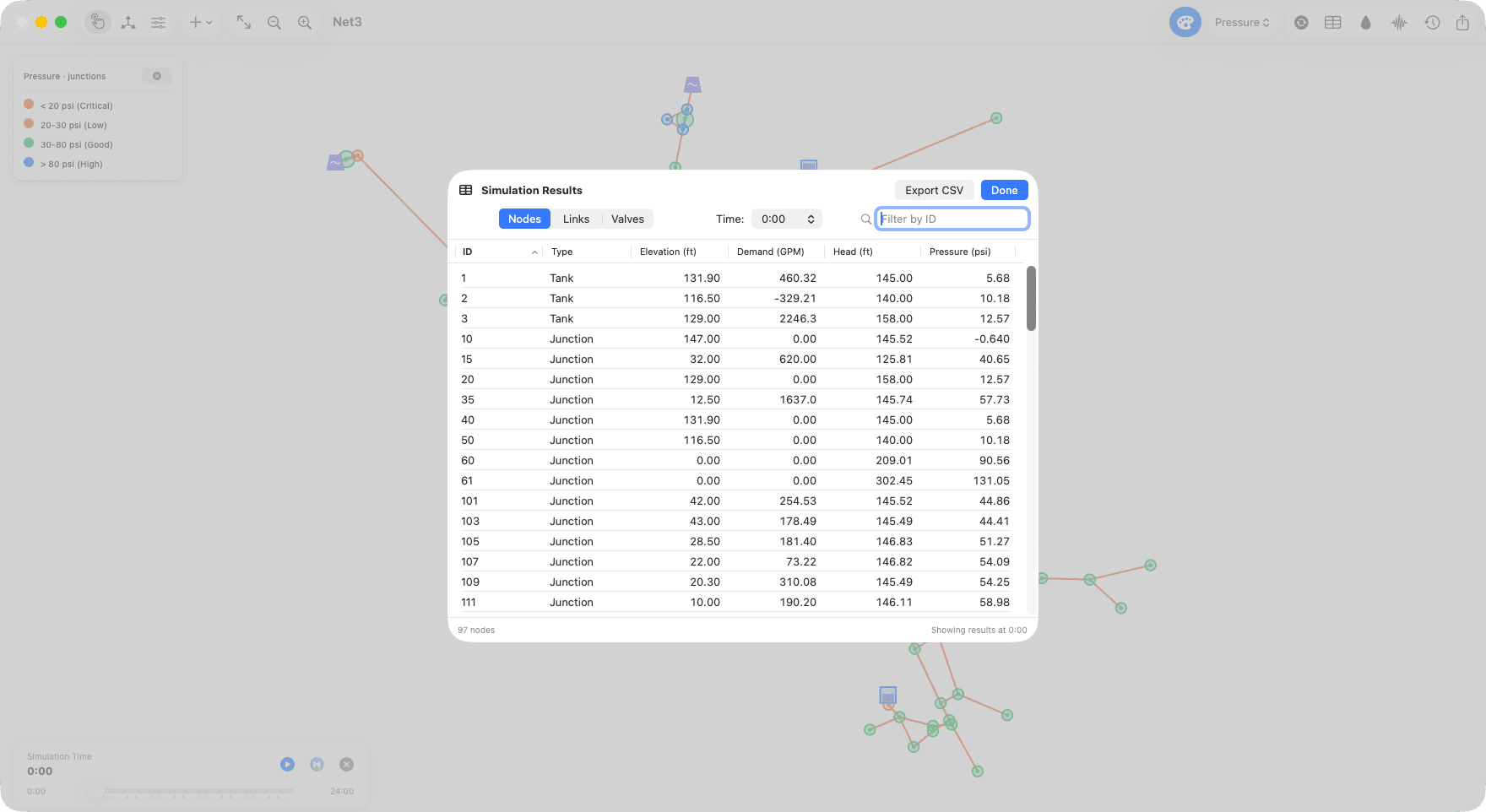
- Open an EPANET .inp, simulate, and read results on the map and in tables you can export to CSV
- Edit the network, save to .inp, and share project files with FlowAnalyzer Web
- Build a complete EPANET model in the app: layout, options, curves and controls
FlowAnalyzer Mobile
iOS and Android · core features work offline
- Open any EPANET .inp file, of any size, and simulate it with the EPANET 2.3.5 engine, steady state or extended period
- See pressure and velocity in color across the network, hour by hour on an interactive timeline
- Leave field notes with photos on the network, saved on the device
- Export results to PDF and CSV, and the network as an .inp file (Pro, one-time purchase)
From Your EPANET Model to Results
Import, simulate, analyze, and export — in the browser, on your Mac or on your phone.
Import
Load your EPANET .inp — or start from an example
Simulate
Run the network, steady state or extended period
Analyze
Read pressures and flows on the map and in tables
Export
Take the results out as CSV, and PDF where the app offers it
Solve, isolate, rank and profile — in your browser
Run your network with FlowAnalyzer's own engine, check it against EPANET, and know which valves to close and which pipes matter most.
- Hydraulic solver built in: runs extended-period simulations in your browser with FlowAnalyzer's own engine (Rust compiled to WebAssembly), checked against EPANET 2.2 case by case, and an EPANET engine to verify any run.
- Valve isolation: pick a pipe and get the valves to close, the links and nodes left out of service, the affected demand and a PDF work order.
- N-1 criticality: closes each pipe in turn, re-solves the network and ranks pipes by the demand left unserved.
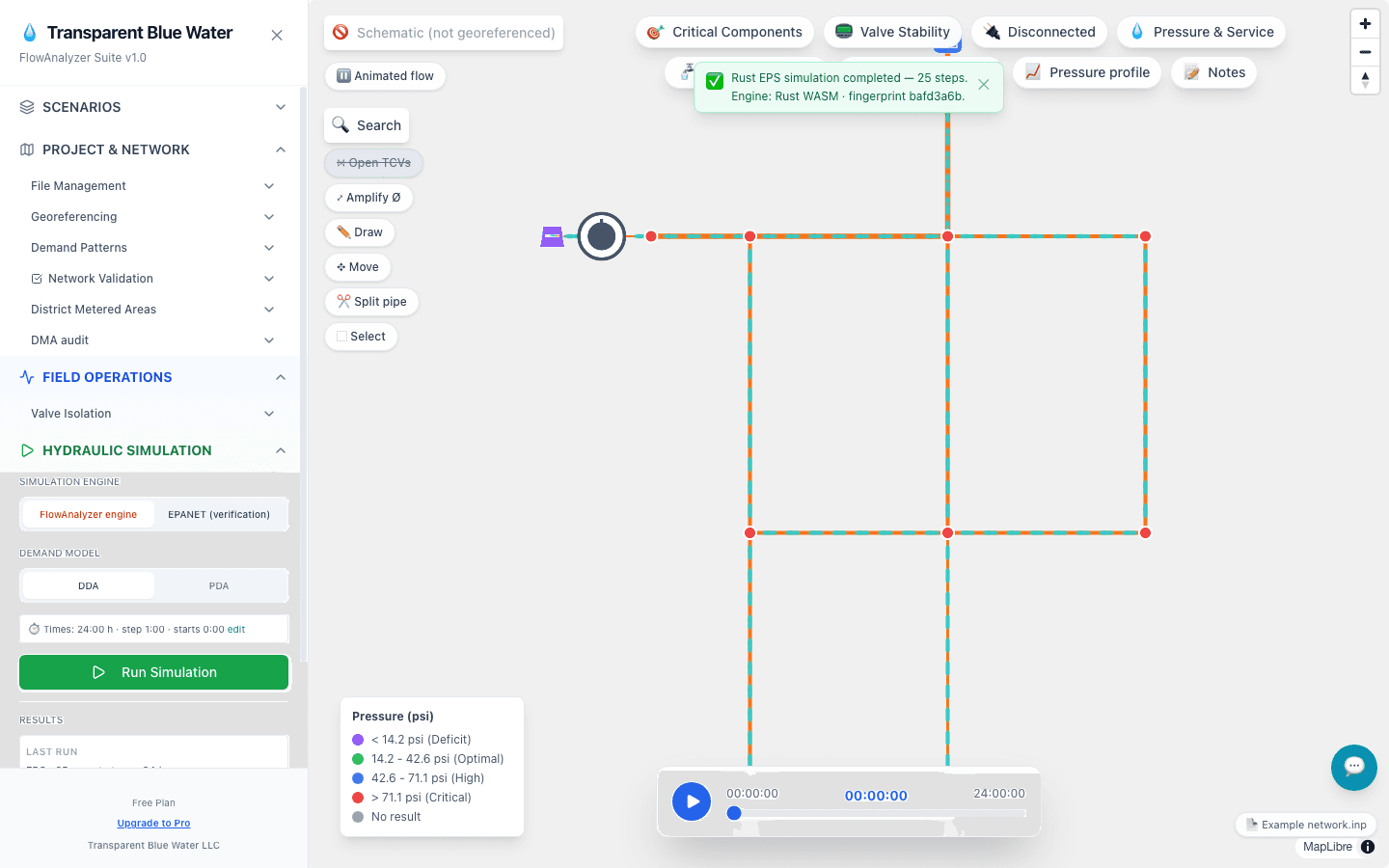
- Pressure profiles: click pipes in series and see ground, hydraulic grade line and pressure at any hour; save, export CSV/PNG.
Complete Feature Set
Everything you need to manage your water network efficiently.
FlowAnalyzer Web
Browser-based platform
Pressure profiles
Click a pipe and the profile extends on its own along the main, stopping at every branch so you choose where it goes. Ground elevation, hydraulic grade line and pressure on a single chart, at any hour of the 24-hour run — and out to CSV or PNG.
Scenarios to compare alternatives
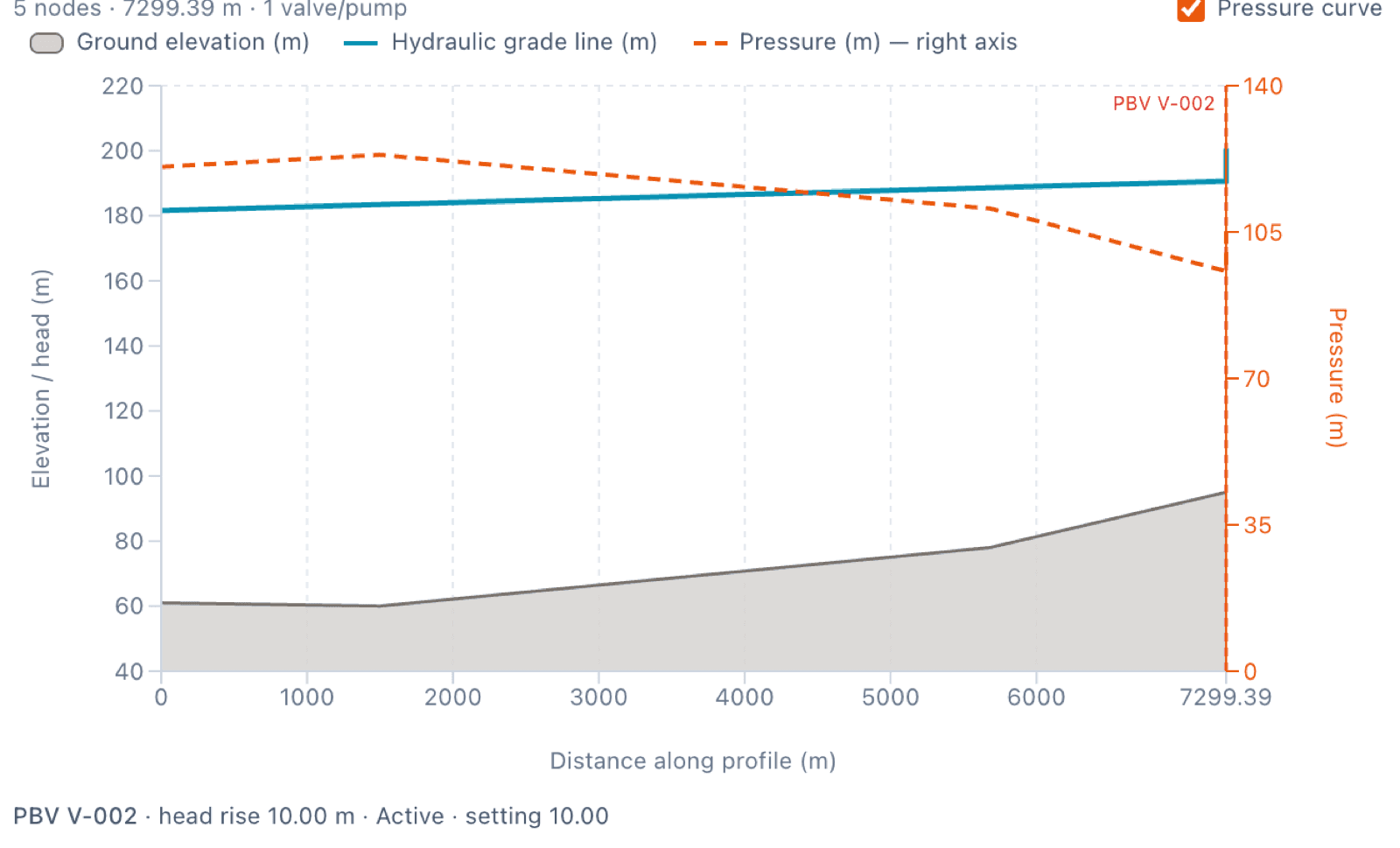
Duplicate a network into a parent-child tree, edit the copy and open «What differs» for a line-by-line comparison of elements and sections like controls, rules and patterns. «Export .inp» gives a file EPANET 2.2 Desktop opens.
Water loss and pressure management, native on your Mac
Calibrate a leak model with your non-revenue water figure, see where the water is going and compare what pressure management would recover — then open, edit or build the EPANET model in the same app.
- Leak model calibrated to your non-revenue water figure: a map of modeled leakage and a ranked list of the pipes losing the most.
- Compare what adjusting or adding a PRV would recover (L/s, m³/month, money) and the lowest pressure each scenario leaves.
- Open an EPANET .inp, simulate, and read pressures, flows and velocities on the map and in tables you can export to CSV; charts of each element's time series.
- Edit the network (several elements at once, undo), save to .inp, and open or save project files shared with FlowAnalyzer Web.
- Build a complete EPANET model in the app: draw the layout with the Pipe tool, set the network options (units, head loss formula, times), add curves for tanks and valves, and create controls.
Field modeling, core features without internet
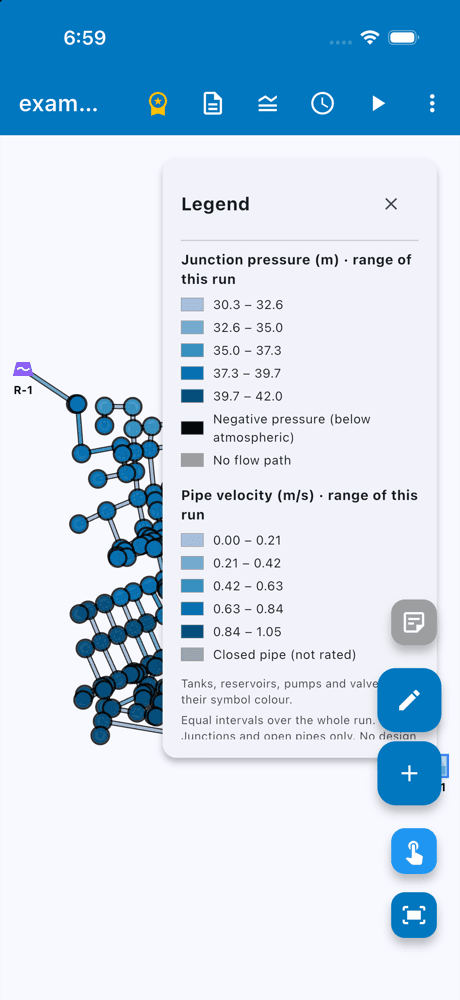
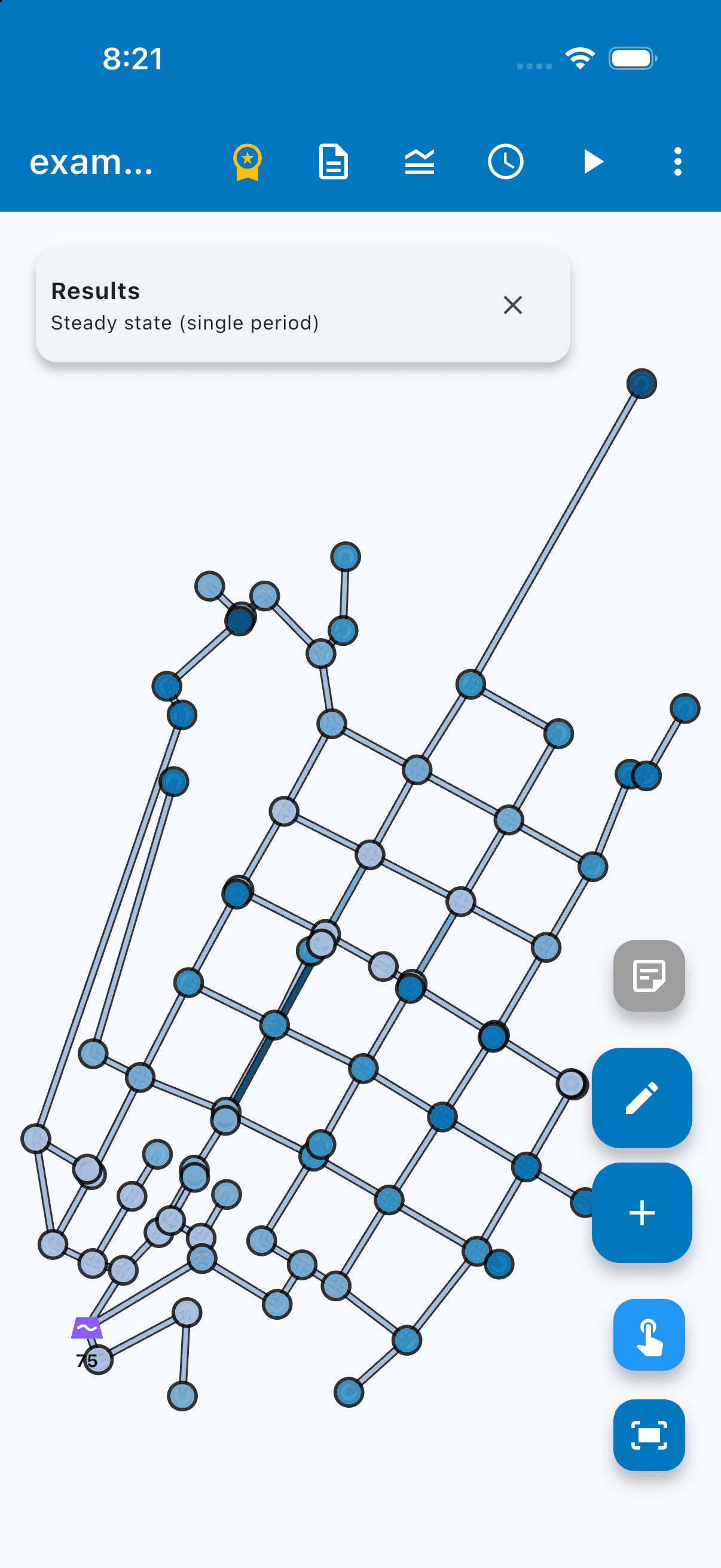
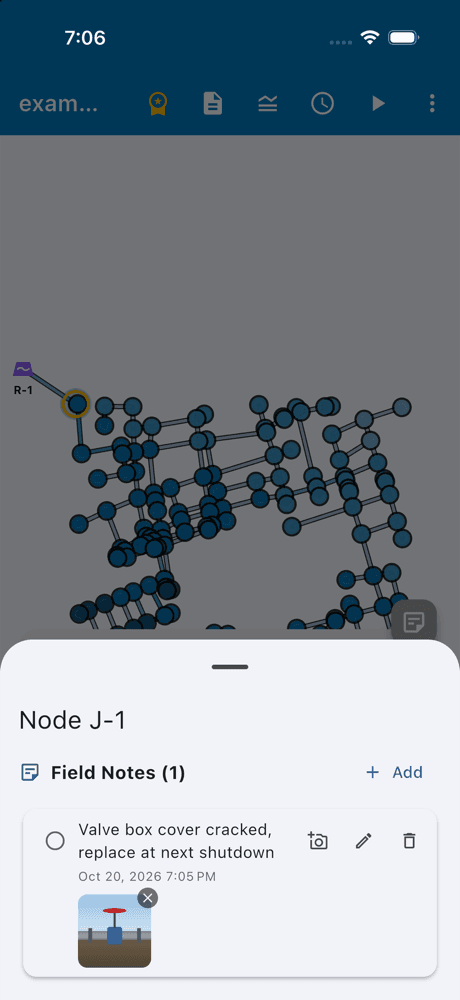
Open your EPANET network on your phone, simulate it and read pressures and velocities right where the pipe is — no signal needed.
- Open any EPANET .inp file, of any size, and simulate it with the EPANET 2.3.5 engine, steady state or extended period.
- See pressure and velocity in color across the network, hour by hour on an interactive timeline.
- Leave field notes with photos on the network, saved on the device.
- Export results to PDF and CSV, and the network as an .inp file (Pro, one-time purchase).
Free to model. Pro when you need more.
Simulate networks of any size for free. Pro adds the analysis modules; Enterprise gives your organization its own tenant.
Free
FlowAnalyzer Web in your browser. Your model never leaves your machine.
- Hydraulic simulation of any size (steady state, extended period, PDA)
- Map, basemap and element inspector
- Results and CSV export
- Import and export of EPANET .inp and FlowAnalyzer projects
- Pressure profiles and project notes
- Leaks & Efficiency for the whole network: night-flow leakage and PDA savings
- Disconnected-nodes check
Pro
The analysis modules for day-to-day network work.
- Critical Components (N-1) and Pressure & Service
- Valve Stability and Break Impact
- Valve isolation with a PDF work order
- Pump analysis and NPSH
- Scenarios: tree, "What differs", export for EPANET Desktop
- DMA zones and DMA audit: night flow and ILI per sector with measured flow, and its report
- Telemetry and Field Signals
- Downstream trace
- Regulator check: does each PRV regulate, does its diameter suit the flow, and is its pressure drop tolerable (cavitation index σ)
Enterprise
For utilities and consultancies that want a workspace of their own.
- Everything in Pro
- Your own tenant: your models, notes and map
Pro is billed monthly or yearly and can be cancelled at any time. Mac and Mobile are separate apps with their own prices; see their pages.